
FloFrame · on site
The box that watches your site.
FloFrame runs detection, tracking and your rules on its own GPU. It works with the cameras you already have, and keeps working offline.
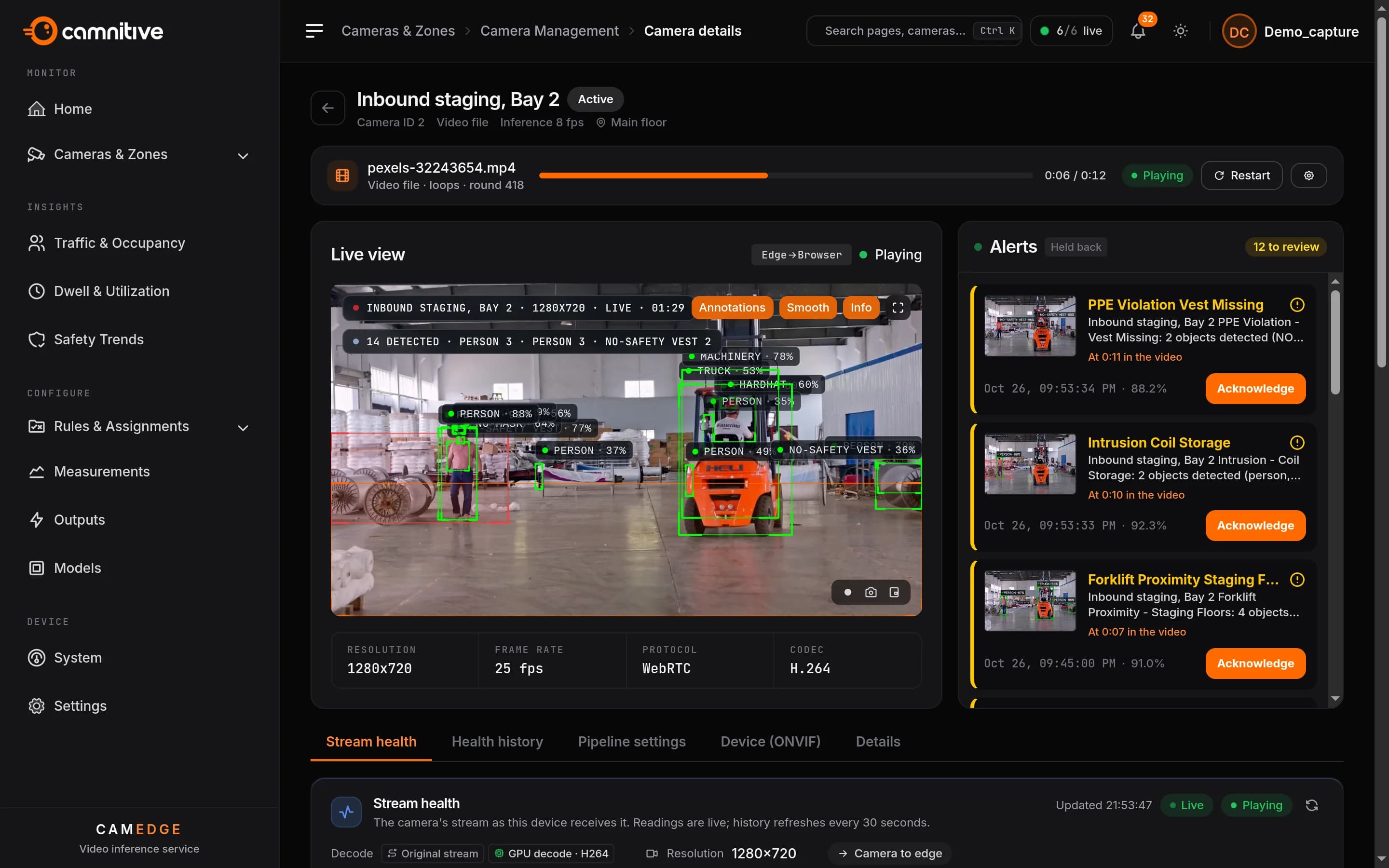
In the loop
Detect starts here.
FloFrame turns video into alerts, counts and sealed evidence. FloFusion takes them from there.
Detection
Your cameras, your rules.
Any camera with an RTSP or ONVIF stream. Rules say what matters on your site.
- The cameras you own
- Any RTSP or ONVIF camera. The device can scan its network for ONVIF cameras and add them.
- A rule language
- Zones, lines, dwell, sequences, timers and posture. People, vehicles and PPE.
- A second check
- A vision-language model looks at the frame and confirms or rejects the alert, with its reason.
On-site outputs
When a rule fires, the site reacts.
The device switches sirens, beacons, relays and PLCs itself, without a round trip to the cloud. Outputs are an aid next to certified safety systems, never a replacement.
- HTTP relay modules
- A request to a relay module or alarm panel on the site’s network.
- Modbus TCP
- A coil or register write to a PLC or relay board.
- ONVIF relays
- A camera’s own relay output.
- MQTT
- A message to a broker on site, for the systems already listening.
Edge first
Footage stays. The site keeps running.
Video is processed where it’s recorded. Only alerts, the evidence you choose and measurements leave.
- Offline-safe
- Detection, rules and outputs carry on without the internet. Alerts go up when the link returns.
- Outbound only, on 443
- No inbound ports and no VPN to open.
- Sealed evidence
- Each alert is sealed on the device. Per site, bystanders are blurred in evidence copies.
Camera health
Know a camera is failing before it misses something.
FloFrame checks every camera’s stream all day and keeps the history, so a failing camera is found by the box, not by the incident it missed.
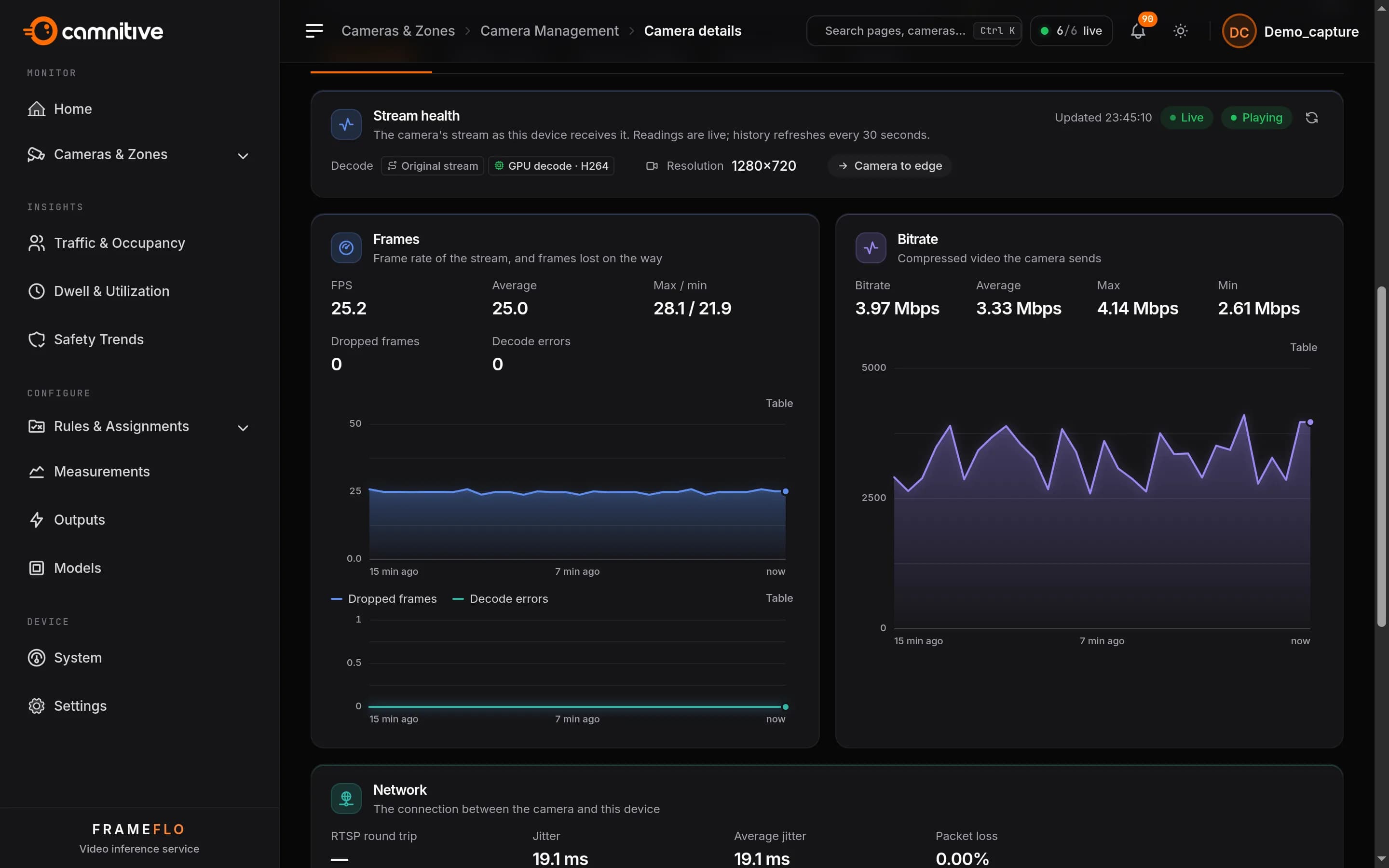
- Frames
- Frame rate, dropped frames and decode errors, per camera, live and over time.
- Bitrate
- What each camera sends, with its average, peak and low, so a stalling stream stands out.
- Status history
- When each camera went offline and came back, and how long it stayed up.
Network health
The link to every camera, measured.
Round trip, jitter and packet loss between each camera and the box, with every outage on record. FloFusion rolls it up by the hour, for every site.
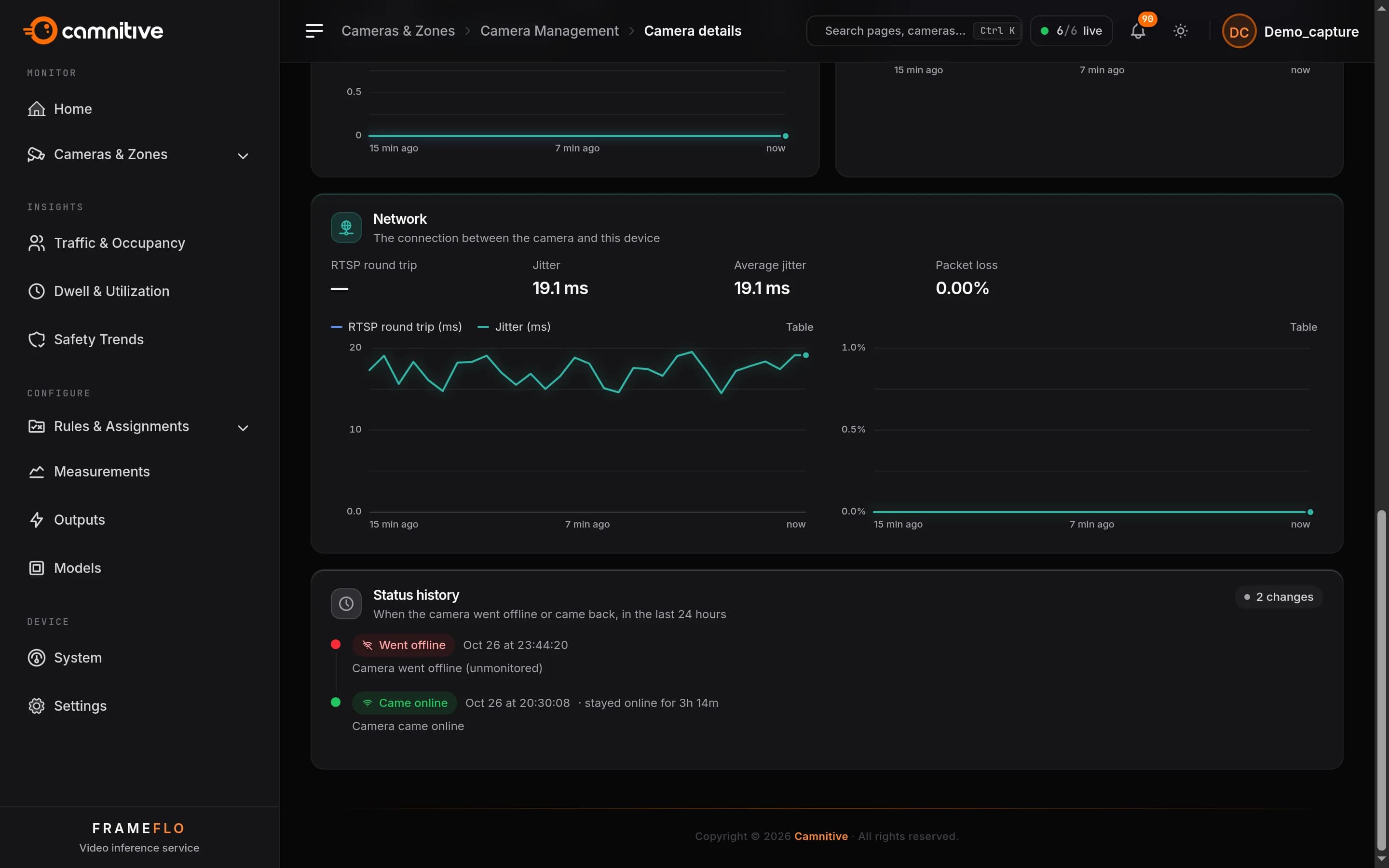
- Round trip and jitter
- How quickly and how steadily each camera answers, charted over time.
- Packet loss
- Lost packets on the camera network, before they turn into gaps in the video.
- Across sites
- Hourly health from every device in FloFusion, to find the sites and cameras that need attention.
Run from anywhere
One box per site. No visits.
Install, update and replace devices from FloFusion. Nobody on site needs an account.
- Drop-ship enrolment
- Put a one-time code in the device before it ships. On site it needs power and a network cable.
- Remote updates, with rollback
- Update in a window you choose. A device that isn’t healthy within ten minutes goes back on its own.
- Sealed backups
- Cameras, zones, rules and settings are backed up daily, sealed so only FloFusion can open them.
- Device replacement
- A replacement restores the backup and carries on with the old device’s ID and history.
What it needs
Hardware, cameras, network.
- Hardware
- An x86 server with an NVIDIA GPU, sized to the site’s cameras.
- Cameras
- Any camera with an RTSP or ONVIF stream. No new cameras.
- Network
- Outbound HTTPS on 443. Nothing inbound.
Start with one site.
A pilot on the cameras you already own, with success criteria agreed up front.